Note Taking Apps Comparison for Students: Best Options in 2026
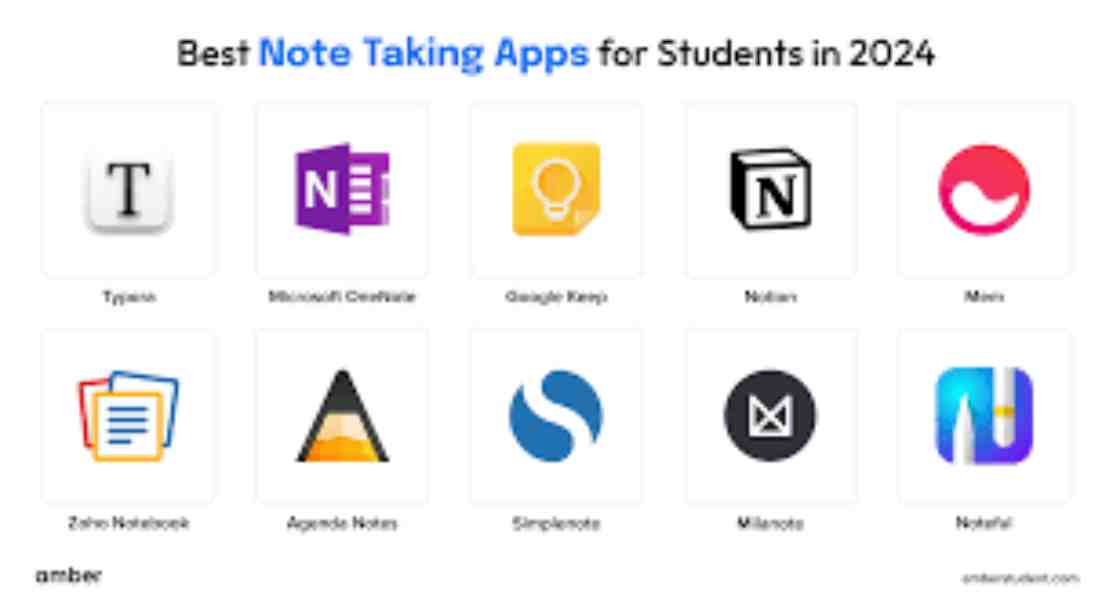
As a student, using the right app on your tablet or computer can help you a lot. A good note-taking app makes schoolwork easier. It helps you take notes, do homework, and study.
Many students use tablets or laptops in class now. The best apps let you write notes fast, keep them neat by subject, and find them again later when you need them.
Here are some important things the app should have:
- Write or draw with your finger or pencil (stylus)
- Put marks or notes on PDF files
- Record the teacher talking
- Save everything in the cloud so you don’t lose it
- Work together with friends on group projects
In this guide, we look at some popular apps for students. We talk about GoodNotes, Notability, Microsoft OneNote, Notion, and others.
Each app is good for different ways of studying. Some are great for quick notes in high school. Others are better for big university work and research.
Why Students Need Great Note-Taking Apps
Students juggle a lot: lectures, readings, exams, and group work. Good digital tools help you:
- Capture notes quickly during fast talks.
- Organize subjects or projects in one place.
- Annotate slides or textbooks easily.
- Record audio and link it to your writing.
- Share notes for study groups.
- Access everything on phones, tablets, or computers.
Studies show digital notes with features like audio sync can improve exam scores. Apps with handwritten notes on tablet feel natural, especially with styluses like Apple Pencil.
Key Features to Look for in Student Note-Taking Apps
When comparing apps, think about these:
- Handwriting Support: Smooth inking, pressure sensitivity, and search in handwriting.
- PDF Annotation: Mark up lecture slides or readings.
- Audio Recording: Sync sound with notes for review.
- Organization: Folders, tags, or databases for classes.
- Collaboration: Real-time sharing for groups.
- Cross-Platform: Works on iPad, Android, Windows, or web.
- Pricing: Free options or student discounts.
- Extras: Flashcards, AI summaries, or templates.
Now, let’s compare the top apps.
Note Taking Apps Comparison for Students: Top Picks
Here is a quick table to compare key apps:
| App | Best For | Handwriting | Audio Sync | Collaboration | Platforms | Pricing |
| GoodNotes | iPad handwriting & PDF annotation | Excellent | No | Basic | iOS, macOS, Windows/Android (limited) | One-time or subscription (~$10/year) |
| Notability | Lecture audio recording | Great | Yes | Basic | iOS, macOS | Free basic; subscription (~$15/year) |
| Microsoft OneNote | Cross-platform & free organization | Good | Yes | Excellent | All (iOS, Android, Windows, web) | Free; extras with Microsoft 365 |
| Notion | Custom databases & collaboration | Limited | No | Excellent | All | Free for students; paid upgrades |
| Apple Notes | Simple Apple users | Good | Yes (transcripts) | Basic | Apple only | Free |
| Evernote | Research & web clipping | Basic | Limited | Good | All | Free limited; paid (~$15/month) |
GoodNotes: Best for Handwritten Notes on iPad
GoodNotes shines for students who love digital handwriting. It feels like real paper with smooth ink and tools like shapes and rulers.
Pros:
- Searchable handwriting.
- Great PDF annotation for students – perfect for marking slides.
- Templates for planners or grids.
- Flashcard tools for study.
Cons:
- Mostly Apple-focused; cross-platform is still growing.
- No built-in audio sync.
Ideal for the best note taking apps for iPad students or anyone with a stylus.
Notability: Top for Audio-Synced Lectures
Notability is great for class recordings. It links audio to your notes, so tapping a word plays what the teacher said then.
Pros:
- Excellent audio with transcripts (paid).
- Multi-page view for outlines.
- Math tools and shapes.
Cons:
- Limited to Apple devices.
- Many features require a subscription.
Perfect for note taking apps for students with audio recording in fast lectures.
Microsoft OneNote: Best Cross-Platform Free Option
OneNote is powerful and free. It offers notebooks with sections for each class and a free-form canvas.
Pros:
- Real-time collaboration – share with classmates.
- Works everywhere, including Android/Windows.
- Ink-to-math and OCR search.
- Integrates with Microsoft tools.
Cons:
- Inking not as smooth as iPad apps.
- Can feel busy.
A top best cross platform note taking app for students.
Notion: Ideal for Advanced Organization and Groups
Notion is more than notes – it’s a workspace with databases, tasks, and pages.
Pros:
- Build custom trackers for assignments.
- Strong real-time collaboration.
- Free for students with .edu email.
- Templates for study plans.
Cons:
- Better for typing than handwriting.
- Learning curve.
Great for collaborative note taking in projects.
Other Strong Options
- Apple Notes: Free, simple, with handwriting and transcripts. Best for Apple fans.
- Evernote: Good for clipping articles and searching, but paid for full use.
- Obsidian: Free, linked notes for deep thinkers – popular on Reddit.
- Joplin: Open-source, privacy-focused alternative.
For Notability vs GoodNotes for students comparison: GoodNotes wins on annotation, Notability on audio.
OneNote vs Notion for students notes: OneNote for free handwriting, Notion for databases.
Note Taking Apps Comparison for Students: Choosing the Right One
Pick based on your setup:
- Apple Pencil note taking: GoodNotes or Notability.
- Cross-platform note apps: OneNote or Notion.
- Free note taking apps for students: OneNote, Apple Notes, or Notion.
- Handwritten note taking apps for students: GoodNotes top.
- Simple note taking apps for high school students: Google Keep or Apple Notes.
Many students mix apps: GoodNotes for class, Notion for planning.
Tips:
- Use folders by subject for lecture notes organization.
- Annotate PDFs to organize lecture slides.
- Try cloud sync for access anywhere.
FAQs
Which is the best note-taking app for students in 2026?
It depends on your needs! GoodNotes is great for beautiful handwritten notes on iPad. Notability is best if you record lectures and want audio to sync with your writing. Microsoft OneNote wins for free cross-platform use (works on everything). Notion is top for advanced organization, databases, and group work.
GoodNotes vs Notability: Which one is better for students?
GoodNotes is usually better for smooth handwriting, amazing PDF annotation, and organization with templates and flashcards. Notability is stronger for audio recording and playback (tap a word to hear what was said). In 2026, both are excellent on iPad, but GoodNotes feels more like real paper, while Notability helps review fast lectures.
Is Microsoft OneNote still free for students?
Yes! OneNote is completely free with a Microsoft account. You get full features like notebooks, sections, handwriting, audio, and real-time sharing. No limits on basic use. It works great on iPad, Android, Windows, and web.
Which app is best for cross-platform note-taking (iPad, Android, Windows, etc.)?
Microsoft OneNote or Notion. OneNote is free and feels like a classic notebook. Notion is more flexible for custom pages, tasks, and databases. Both sync everywhere and support collaboration.
What is the best free note-taking app for students?
Microsoft OneNote, Apple Notes (if you use Apple devices), or Notion (free for students with .edu email). These give strong features without paying, like organization, search, and sharing.
Conclusion
In this note taking apps comparison for students, options like GoodNotes, Notability, OneNote, and Notion stand out for 2026. The best one depends on your devices, style (handwriting or typing), and needs like audio or collaboration.
Start with free trials or versions to test. The right app will make studying easier and more fun.
References:
- The Best Note-Taking Apps We’ve Tested for 2026 – PCMag’s comprehensive tested reviews of top apps like OneNote and Obsidian.
- The 7 best note taking apps in 2026 – Zapier’s updated guide highlighting OneNote for students and Notion for collaboration.
- 9 Best Notetaking Apps for Students in 2025 – Drawboard’s student-focused breakdown of apps like GoodNotes, Notability, and OneNote for academic workflows.