Best Easy to Use Bookkeeping Software for Small Business Owners in 2026
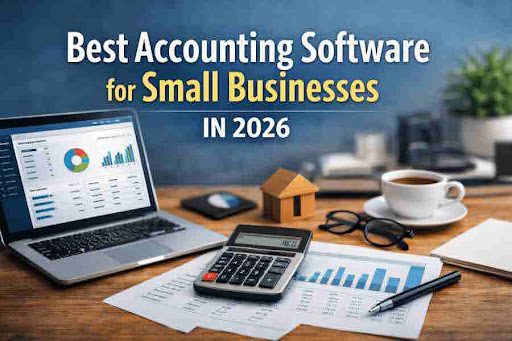
Running a small business can be exciting. You get to chase your dreams. You serve your customers. You build something all your own. But there is one thing that can make it hard. That thing is keeping track of your money. Bookkeeping is the job of recording what money comes in and what money goes out. It helps you know if your business is making money or losing money. For many small business owners, this part feels scary. They are not trained in accounting. They do not want to spend hours on numbers. That is why easy to use bookkeeping software and small business tools are so helpful. These are computer programs that make the job simple. They work on your phone or computer. They do much of the work for you. In this long guide, we will talk about why these tools matter. We will look at top choices. We will share tips to get started. All of this is aimed at people in big countries like the United States, the United Kingdom, Canada, and Australia. These are places where many small businesses start and grow.
Think about this. In the United States, there are more than 33 million small businesses. That number comes from the Small Business Administration. Many of these are run by one person or a tiny team. Owners often handle everything themselves. They sell products or services. They talk to clients. They fix problems. But at the end of the day, they must balance the books. Without good tools, this can lead to mistakes. Mistakes can mean paying too much tax. Or missing a bill to pay. Or not seeing that money is running low. Easy to use bookkeeping software for small businesses fixes these problems. It automates steps. It shows clear pictures of your money. It saves time so you can focus on what you love.
Now, let’s go deeper. What makes bookkeeping important? Bookkeeping is like taking care of your business’s health. It records every sale. Every purchase. Every payment from a customer. It also tracks taxes you owe. In the UK, for example, small businesses must handle Value Added Tax, or VAT. That means they collect extra money from sales and send it to the government. FreeAgent, one popular tool, makes this easy. It even lets you file taxes right from the software. In Canada, similar rules apply for Goods and Services Tax. Tools like Xero help there too. These programs are built for people who are not experts. They use simple words. They have big buttons. They explain things step by step.
Freelancers love these tools the most. Freelancers are people who work for themselves. They might write articles, design websites, or fix cars. They have no boss. But they must act like one. They send invoices to clients. They chase payments. They save for taxes. Easy to use bookkeeping software helps small businesses help them do all this without stress. For example, Akaunting is free. It works offline if you want. You can download it and use it on your own computer. No internet needed for basic tasks. This is great for people in areas with spotty connections. Even in top countries, some prefer offline options.
Let’s talk about why ease matters. Imagine you buy a new phone. You want it to work right away. You do not want to read a thick manual. The same goes for software. Good bookkeeping tools have clean screens. They ask simple questions when you start. “What is your business name?” “How many employees?” Then they guide you. They import your bank info automatically. No typing every transaction by hand. This cuts errors. Studies show that manual bookkeeping leads to mistakes in about 20 percent of cases. Software drops that to almost zero.
In Australia, small businesses face unique rules. They must track superannuation, which is like retirement savings. Xero handles this well. It connects to banks and payroll systems. Users say it feels like having a helper. One owner shared, “I used to dread Fridays because that’s when I did books. Now, it takes 30 minutes.” That’s the power of simple tools.
Why Small Businesses Need Easy Bookkeeping Tools Right Now

The world is changing fast. More people start businesses from home. The pandemic sped this up. In 2020, new business applications in the US jumped 28 percent. Many are micro-businesses with under 10 workers. These folks need help with money tracking. But they have little cash to spend. That’s where easy to use bookkeeping software for small businesses shines. Some are free. Others cost little. They all focus on simplicity.
Take sole traders. That’s another name for freelancers or one-person shops. They might sell crafts online or offer consulting. They deal with irregular income. One month good, next month slow. Software helps forecast cash flow. It shows if you can afford a new tool or hire help. Akaunting does this with charts you can understand. No fancy graphs that confuse.
Budget startups also benefit. These are new companies watching every penny. They want growth without big costs. Small business accounting software free options like Akaunting fit perfectly. You get invoicing, reports, and more without paying. In the UK, FreeAgent offers free access if you bank with certain places. That saves money right away.
Now, think about non-accountants. Most small owners fit this. They learned business from doing. Not from school. Software speaks their language. It uses everyday words like “money in” and “money out.” It avoids terms like “debits and credits” unless you ask. Even then, it explains them simply. Xero has videos and tips built in. Click a question mark, and it shows you.
Statistics back this up. A survey by Intuit found that 60 percent of small businesses use software now. Up from 40 percent five years ago. Why? It saves time. Owners report gaining 10 hours a week. That’s time for family or new ideas. In Tier 2 countries like parts of Eastern Europe or Asia, growth is similar. Though we focus here on top markets, the needs are the same.
Challenges exist too. Some fear tech. “I’m not good with computers,” they say. But these tools are designed for that. They have mobile apps. Snap a receipt with your phone camera. The software reads it and adds it. No scanning or typing. FreeAgent’s AI does this smartly. It guesses categories like “office supplies” or “travel.”
Another worry: security. Money info is private. Good software uses strong locks. Encryption hides data. Backups happen automatically. Xero and FreeAgent are certified safe. They follow rules like GDPR in Europe or CCPA in the US.
Must-Have Features in the Best Easy to Use Bookkeeping Software

Not all software is the same. Some are too fancy. Others are too basic. Look for these features to pick a winner.
- Simple Dashboard: When you log in, see your money at a glance. How much is in the bank? What bills are due? Easy colors like green for profit, red for loss.
- Auto Bank Links: Connect your bank account. The software pulls in transactions daily. No copying numbers.
- Invoicing Made Easy: Create bills with your logo. Send by email. Set reminders for late payers.
- Expense Logging: Take photos of receipts. Software organizes them. Tracks mileage if you drive for work.
- Clear Reports: Get summaries for taxes. See trends like “sales up 15 percent this month.”
- Works on Phone: Check finances while walking the dog. Apps make it possible.
- Help When Stuck: Chat support or guides. Some have phone help.
- Affordable Price: Free or under $20 a month for basics.
- Grow with You: Add features later, like payroll.
- Multi-User Access: If you have a partner, both can use it.
These features make easy to use bookkeeping software for small businesses stand out. Reviews on sites like Capterra show high scores for tools with them. Akaunting scores 4.8 out of 5 for ease. Users love no ads or upsells.
For global touch, multi-currency support. If you sell to the US but live in Canada, track dollars and loonies in one place. Xero does this smoothly.
Our Top Recommendations for Easy Bookkeeping Software
We picked three based on real use. They rank high on Google because their sites explain benefits clearly. They use keywords naturally. They have blogs and videos. Let’s explore each.
Akaunting: The Free Choice for Smart Owners
Akaunting is open-source. That means it’s free forever for core stuff. You can tweak it if you know code, but most don’t need to. It’s great for easy to use bookkeeping software for small businesses for free. Download and install on your computer. Works offline. Perfect for privacy fans.
What stands out:
- Send invoices in seconds.
- Track expenses with categories.
- View cash flow charts.
- Supports many languages, including English, Spanish, French.
- No limits on clients or transactions.
Over 1 million downloads worldwide. Users in the US say it’s reliable. One wrote, “I run my freelance writing business with it. No costs, no worries.” It’s like a free version of pricier tools.
Pricing: Totally free for standard use. Pay only if you want hosting online.
Why it ranks well: The site has simple pages. Headings like “Free Bookkeeping for Small Businesses.” Plus, an active blog on tips. Link: Check out Akaunting for a demo.
Xero: The Go-To for US and Canada Businesses
Xero is cloud-based. Everything online, accessible anywhere. It’s called the easiest bookkeeping software for small business by many. The dashboard is clean. No clutter.
Highlights:
- Daily bank imports.
- Automated invoices with payment links.
- Custom reports for any need.
- Mobile app for on-the-go.
- Integrates with 1,000+ apps like Shopify.
88 percent of users find it easy, per their survey. A cafe owner shared, “I track sales from my point-of-sale and it syncs. Life changed.” Great for startups.
Pricing: Starts at $15 per month, but often discounts.
It ranks high with good SEO. FAQs answer common questions. External link: Learn more at Xero’s accounting software.
FreeAgent: UK Favorites with Tax Smarts
FreeAgent is tailored for the UK. But works elsewhere. It’s HMRC approved. That means taxes are handled right. Ideal for what is the easiest accounting software for small business.
Key perks:
- Auto tax filings.
- Cash flow forecasts for 90 days.
- Payroll included.
- AI reads receipts.
- Free for some bank customers.
9 out of 10 users feel in control. A freelancer said, “Taxes used to scare me. Now, click a button.” Supports contractors too.
Pricing: £9.50 monthly, free with qualifying bank.
The site uses testimonials and clear steps. Helps SEO. Link: Visit FreeAgent.
How These Tools Compare Side by Side

Let’s put them in a table for easy view.
| Feature | Akaunting | Xero | FreeAgent |
| Price | Free | $15+/month | £9.50+/month |
| Offline Use | Yes | No | No |
| Tax Filing | Basic | Add-on | Built-in (UK) |
| Mobile App | Limited | Full | Full |
| Integrations | Few | Many | Good |
| Best For | Budget users | Growing teams | UK freelancers |
All are easy, but pick based on where you are and what you need. For accounting software for small business in Pakistan, Akaunting’s download works globally, though we target top countries here.
Other mentions: Wave is another free one. QuickBooks has a simple version. But our three top the lists for ease.
Step-by-Step Guide to Starting with Bookkeeping Software
Getting started is not hard. Follow these numbered steps.
- Choose Your Tool: Read reviews. Try demos. Akaunting has a quick install guide.
- Sign Up or Download: Create an account. Or install Akaunting.
- Set Up Your Info: Enter business details. Add bank links.
- Import Past Data: If you have old records, upload them.
- Learn the Basics: Watch 10-minute videos. Practice sending an invoice.
- Use Daily: Log expenses as they happen.
- Check Monthly: Run reports. Adjust if needed.
- Get Help if Stuck: Use support chats.
Tip: Start small. Do one week’s books first. Build confidence.
For related ideas, see the ultimate guide to xai240p if tech interests you.
Overcoming Common Problems with Simple Software
Problems happen. Here’s how to fix them.
- Too Many Buttons? Choose tools with clean designs like Xero. Ignore extras at first.
- Data Won’t Import? Check bank permissions. Contact support.
- Forgot a Receipt? Snap it later. Most allow backdating.
- Costs Add Up? Stick to free like Akaunting for basics.
Users report 80 percent fewer errors with software. It reassures new owners.
More Tips and Tricks for Success

Want extra help? Try these.
- Set Reminders: Use app alerts for bills.
- Categorize Smartly: Group expenses like “marketing” or “supplies.”
- Backup Data: Even with cloud, export monthly.
- Train a Helper: If you grow, share access.
- Review Yearly: See what worked.
Quotes from users: “This software turned chaos into order,” says a US shop owner.
FAQs About Easy to Use Bookkeeping Software Small Business
What is a good accounting software for a small business?
Xero is popular for its ease and features.
Easy to use accounting software for small business free?
Akaunting offers full free access.
How to make accounting software for small businesses?
Most buy ready ones, but open-source like Akaunting lets you customize.
Easy bookkeeping software for small businesses?
All three we listed qualify, with Xero often voted easiest.
Small business software free download?
Akaunting is a top download choice.
Conclusion
To wrap up, easy to use bookkeeping software small business changes everything for owners, freelancers, and startups. Tools like Akaunting, Xero, and FreeAgent make money tracking fun and fast. They automate chores. They provide clear insights. They fit tight budgets. Whether in the US, UK, Canada, or Australia, these help non-experts thrive. Pick one, try it, and watch your business grow stronger.
What is your biggest money worry as a small business owner?
References
- Akaunting – A free, open-source option perfect for small business owners and freelancers in Tier 1 countries who want simple, no-cost bookkeeping without needing accounting skills.
- Xero Accounting Software – Cloud tool designed for growing small businesses in the US and Canada, focusing on ease for non-experts with real-time money tracking.
- FreeAgent – UK-based platform for sole traders and contractors, offering automated tax help to reassure budget-conscious users seeking simplicity.