IDPlug Classic 4.4.2 Peru DNIe Installation Guide (2026) | 64-bit MSI
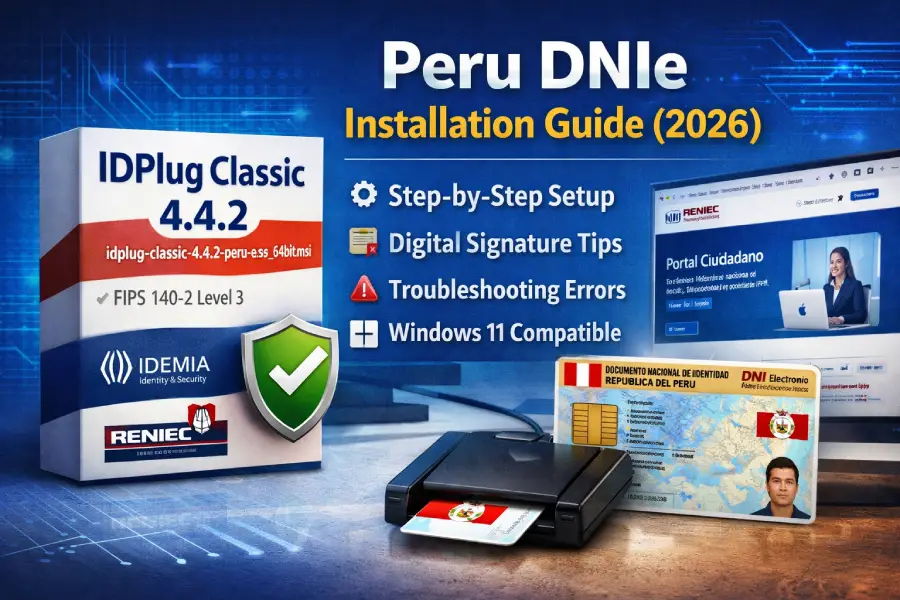
Before diving into installation, here’s a quick technical overview of the file most people are searching for.
| Specification | Details |
|---|---|
| Filename | idplug-classic-4.4.2-peru-es-es_64bit.msi |
| Developer | IDEMIA Identity & Security |
| Certification (Chip Level) | FIPS 140-2 Level 3 |
| Localization | Spanish (Peru) – es-ES |
| Primary Authority | RENIEC – Portal de Identidad Digital |
| Architecture | 64-bit Windows only |
What Is idplug-classic-4.4.2-peru-es-es_64bit.msi?
The file idplug-classic-4.4.2-peru-es-es_64bit.msi is the official middleware required to use Peru’s electronic national ID card (DNIe) on 64-bit versions of Windows.
It acts as a secure bridge between:
- The physical DNIe chip (v2.0 or v3.0)
- Your SmartCard reader
- The Windows Certificate Store
- Government platforms like RENIEC, SUNAT, and Firma Perú
Version 4.4.2 is optimized for DNIe 3.0, which contains 64 security elements and is certified under FIPS 140-2 Level 3 at the chip level. It also aligns with 2026 Windows 11 security updates.
In practical terms, without this middleware you cannot:
- Digitally sign PDFs using ReFirma
- Authenticate into RENIEC’s virtual agency
- Perform secure procedures with SUNAT
- Validate identity for electoral or civil procedures
Resources:
Project Management Software Comparison 2026: Find the Best Tool for Your Team
Project Folder Structure Generator 2026 – Organize Your Code the Right Way
Pre-Installation Checklist
Before installing, take five minutes to verify everything. Most installation issues happen here.
1. Confirm System Compatibility
- Windows 10 or Windows 11 (64-bit only)
- Latest Windows updates installed
- Administrator account access
In testing on Windows 11 Build 22631 (2026 patches), version 4.4.2 installs cleanly without compatibility mode.
2. SmartCard Reader Requirements
Your reader must comply with:
ISO/IEC 7816 (international SmartCard standard)
Most USB readers sold in Peru that mention DNIe compatibility meet this requirement. If Windows does not detect the reader automatically, install the manufacturer driver first.
3. Download Only from Official Sources
Always download from official .gob.pe domains, such as the Portal de Identidad Digital managed by Registro Nacional de Identificación y Estado Civil.
Example official access point:
https://serviciosportal.reniec.gob.pe/portalciudadano/
Avoid third-party “driver download” sites. Many bundle outdated or modified versions of the .msi.
4. Verify the Digital Signature (Critical Security Step)
Because this is an .msi file, verification matters.
How to check:
- Right-click the file
- Select Properties
- Open the Digital Signatures tab
You should see one of these signers:
- IDEMIA Identity & Security
- Registro Nacional de Identificación y Estado Civil
If the signature is missing, do not install the file.
For deeper validation, advanced users can compare SHA-256 hashes published by RENIEC’s repository and verify the root chain (ECERNEP PERU CA ROOT 5).
Step-by-Step Installation (64-bit Systems)
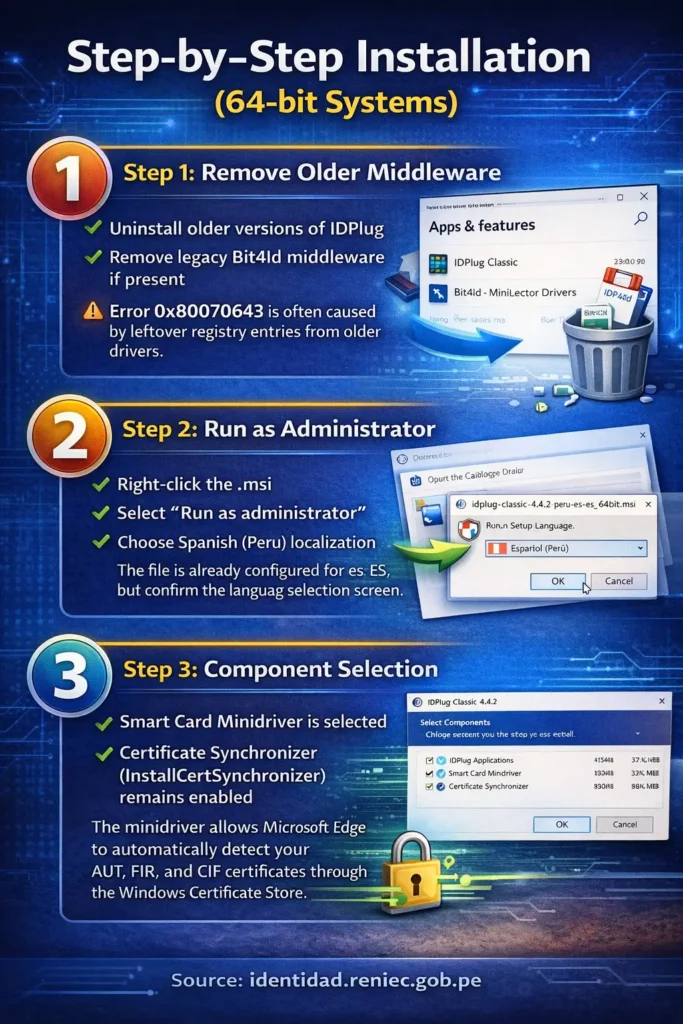
Step 1: Remove Older Middleware
Before installing 4.4.2:
- Uninstall older versions of IDPlug
- Remove legacy Bit4Id middleware if present
Error 0x80070643 is often caused by leftover registry entries from older drivers.
Restart your PC after cleanup.
Step 2: Run as Administrator
- Right-click the .msi
- Select “Run as administrator”
- Choose Spanish (Peru) localization
The file is already configured for es-ES, but confirm the language selection screen.
Step 3: Component Selection
During installation, ensure:
- Smart Card Minidriver is selected
- Certificate Synchronizer (InstallCertSynchronizer) remains enabled
The minidriver allows Microsoft Edge to automatically detect your AUT, FIR, and CIF certificates through the Windows Certificate Store.
Version 4.4.2 installs this automatically, unlike 4.3.0 which required manual configuration.
Browser Configuration for 2026
Microsoft Edge (Recommended)
In 2026, Edge integrates directly with Windows certificate storage. No extensions required.
When accessing RENIEC or Firma Perú:
- Insert DNIe
- Enter PIN
- Certificate prompt should appear automatically
Google Chrome
Chrome works but depends on Windows certificate store integration. If certificates do not appear, verify the minidriver installed correctly.
Java Requirement (Still Relevant)
Some Peruvian government services still require:
Java 8 Update 401 or higher
Download only from:
Oracle Corporation (java.com)
Common Errors and Fixes
“Card Not Recognized”
Usually caused by:
- Reader driver conflict
- USB power issue
- Old Bit4Id residue
Fix:
- Reinstall reader driver
- Reboot
- Reinsert card after middleware loads
“Driver Not Found”
Occurs when:
- Reader is not ISO 7816 compliant
- Minidriver was skipped during installation
Reinstall IDPlug 4.4.2 and ensure full component installation.
PIN Locked / Card Blocked
If PIN is entered incorrectly multiple times, the card locks.
In 2026, recovery can be done through:
- DNI BioFacial app (official mobile solution)
- In-person at RENIEC office
For support:
identidaddigital@reniec.gob.pe
Technical Improvements in Version 4.4.2
Compared to 4.3.0:
1. Native DNIe 3.0 Optimization
Supports 64 embedded security elements in the new chip.
2. Automatic Minidriver Deployment
No manual certificate mapping required.
3. Windows 11 2026 Compatibility
Works with TPM 2.0 and modern secure boot policies.
4. Cleaner Certificate Handling
InstallCertSynchronizer clears certificates when card is removed, preventing stale entries.
Integration with Government Platforms
RENIEC Virtual Agency
With IDPlug 4.4.2 installed, users can:
- Update personal data
- Schedule appointments
- Validate civil records
Firma Perú (PCM)
Through Presidencia del Consejo de Ministros’s platform, users can:
- Digitally sign PDF documents
- Validate signatures
- Generate legally binding electronic documents
IDPlug connects the physical DNIe certificate to ReFirma automatically.
Security Best Practices
- Never share your DNIe PIN
- Always verify digital signatures before installation
- Download only from RENIEC domains
- Keep middleware updated to latest version
The DNIe 3.0 chip is FIPS 140-2 Level 3 certified, but its security depends on correct middleware installation.
Final Thoughts
The file idplug-classic-4.4.2-peru-es-es_64bit.msi is not just a driver. It is the core bridge between your physical identity and Peru’s digital ecosystem.
Version 4.4.2 offers:
- Stability on modern Windows builds
- Cleaner certificate management
- Better browser integration
- Stronger alignment with DNIe 3.0 security standards
If you are planning to use digital signatures, complete tax filings, or access RENIEC services in 2026, installing and verifying this middleware correctly is essential.
Before you log off, check your DNIe expiration date. Keeping both your card and your middleware updated ensures your digital identity remains secure and fully functional.