Fix 7th Heaven Something Went Wrong Trying to Detect/Install Game Driver Error: Complete FF7 Modding Guide
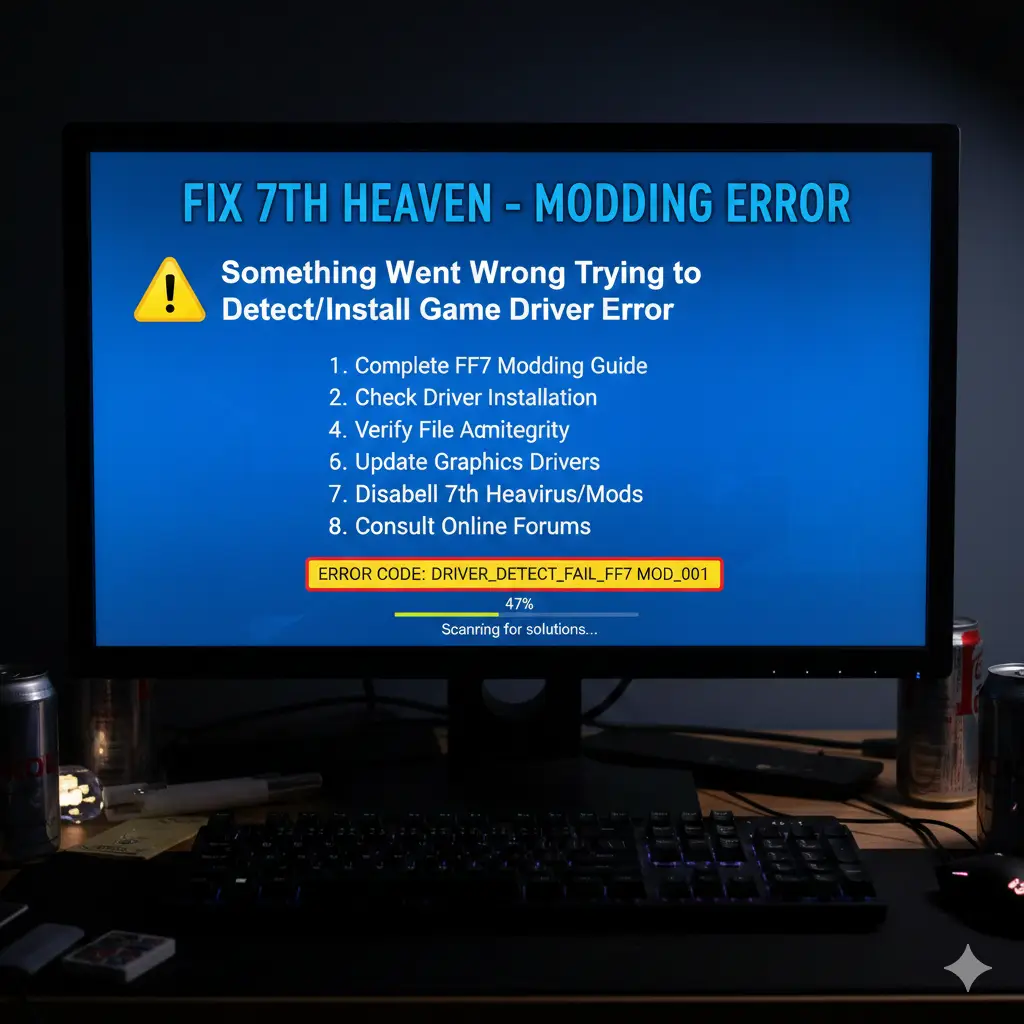
If you dive into Final Fantasy VII PC mods using 7th Heaven mod manager, you might hit a snag: 7th Heaven something went wrong trying to detect/install game driver. This pesky game driver error pops up during setup. It blocks your path to enhanced FF7 visuals and smooth mod customization. Don’t worry. This guide walks you through fixes. We target FF7 Steam version users on PC. You’ll learn PC mod troubleshooting basics too.
Why Mod Final Fantasy VII?
Final Fantasy VII changed gaming forever. Released in 1997 on PlayStation, it sold over 10 million copies in its first decade. The PC port hit in 1998. Modders jumped in early. Qhimm forums started in 1999. They fixed glitches and boosted graphics.
Fast-forward to today. 7th Heaven mod manager launched in 2013. It simplified everything. Pair it with the FFNx game driver, and you get modern perks. Think 60 FPS battles. HD models. Voice acting. FF7 modding community thrives. Thousands share tips on GitHub and Discord.
Stats show impact. Steam’s 2013 re-release sold 1.3 million alone. Mods like Echo-S added full voice lines. Mod loader for FF7 tools makes enhanced FF7 visuals easy. But errors like error detecting game driver trip up intermediates.
What is 7th Heaven Mod Manager?
7th Heaven mod manager is your one-stop shop for FF7 mod installation. Developed by Iros, now Tsunamods maintains it. Download from 7thheaven.rocks. It intercepts game files. Swaps them with mod versions.
Key perks:
- Browse 1000+ mods in-app.
- Easy to activate/deactivate.
- Auto-sorts load order.
- Built-in FFNx game driver support.
No file hunting. No hex edits. Perfect for intermediate to advanced PC users.
Understanding FFNx Game Driver
FFNx game driver powers modern Final Fantasy VII modding community setups. From Aali’s old driver, it evolved. Julianxhokaxhiu leads it on GitHub. Supports Steam natively.
Features:
- DirectX 11/12, Vulkan, OpenGL.
- 60 FPS everywhere.
- Widescreen true support.
- Controller fixes.
- HD textures, AA, AF.
7th Heaven launcher issues often tie to FFNx. Like missing ffnx.toml. Or bad installs.
Prerequisites for FF7 Mod Integration
Before fixes:
- Own FF7 Steam version. Verify files in Steam.
- Windows 10/11. Admin rights.
- Backup saves: Documents\Square Enix\FINAL FANTASY VII Steam\user_#######\.
- Close overlays (Discord, Steam).
- Update GPU drivers.
Ready? Let’s install.
Step-by-Step 7th Heaven Mod Manager Setup
Step 1: Download Safely
Skip official installer bugs. Grab ZIP from GitHub.
- Go to tsunamods-codes/7th-Heaven releases.
- Pick the latest stable ZIP.1
- Extract to C:\7th Heaven\.
Tip: ZIP avoids “cannot read FFNx” errors2.
Step 2: Launch and Configure Paths
- Run 7thHeaven.exe.
- Set FF7 Steam path: Usually Steam\steamapps\common\FINAL FANTASY VII\.
- Mods path: C:\Games\Final Fantasy VII\mods\.
- Click “Play”. It converts to the 1998 format. Creates a modded folder.
Game launches small window. Normal!
Step 3: Update FFNx Game Driver
- Settings > General > Channel Management.
- Set 7th Heaven and FFNx to “Stable”.
- “Check for updates”.
This fixes most mod manager setup woes.

How to Fix 7th Heaven Something Went Wrong Trying to Detect/Install Game Driver
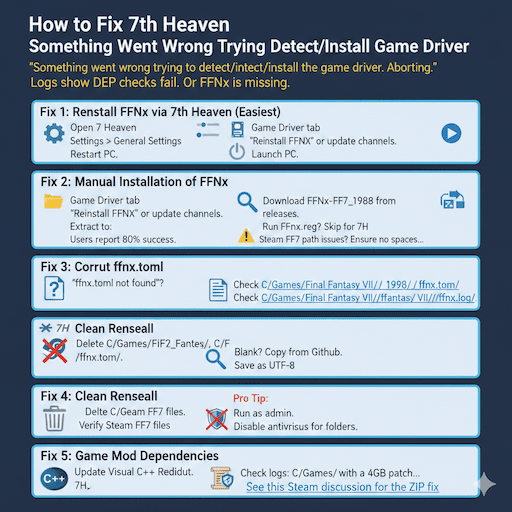
Hit the error? “Something went wrong trying to detect/install the game driver. Aborting.” Logs show DEP checks fail. Or FFNx is missing.
Fix 1: Reinstall FFNx via 7th Heaven (Easiest)
- Open 7th Heaven.
- Settings > General Settings.
- Game Driver tab.
- “Reinstall FFNx” or update channels.
- Restart PC.
- Launch.
Users report 80% success.
Fix 2: Manual Installation of FFNx
If auto fails:
- Backup C:\7th Heaven\Resources\Game Driver\.
- Download FFNx-FF7_1998 from releases.
- Extract to:
- C:\Games\Final Fantasy VII\
- C:\7th Heaven\Resources\Game Driver\
- Rename old ffnx.dll to .bak in the game folder.
- Copy new files. Overwrite.
- Run FFNx.reg? Skip for 7H.
- Launch 7th Heaven. Play.
Steam FF7 path issues? Ensure no spaces in the path. Move the Steam library if needed.
Fix 3: Corrupt ffnx. toml
“ffnx. toml not found”?
- Check C:\Games\Final Fantasy VII\ffnx.toml.
- Blank? Copy from GitHub.
- Save as UTF-8.
- Relaunch.
Fix 4: Clean Reinstall
- Close Steam/7H.
- Delete C:\Games\Final Fantasy VII\, C:\7th Heaven\.
- Verify Steam FF7 files.
- Redownload 7H ZIP.
- Restart PC.
Pro Tip: Run as admin. Disable antivirus for folders.
Fix 5: Game Mod Dependencies
- Update Visual C++ Redist.
- Patch ff7.exe with a 4GB patch for memory.
- Check logs: C:\Games\Final Fantasy VII\ffnx.log.
See thisSteam discussion for the ZIP fix.
Other PC Mod Troubleshooting Tips
7th Heaven launcher issues beyond driver:
- Black screen: Sound device. Set “Auto-Switch” in the launcher.
- Crashes: Disable mods one-by-one. Toggle Linear Filtering off.
- Pink lines: Graphics tab > Linear Filtering = Off.
- Slow FPS: Use DDS textures. Convert PNG mods.
Mod compatibility patch needed? Auto-sort in 7H.
Best Mods for Final Fantasy VII Steam Version (2025)
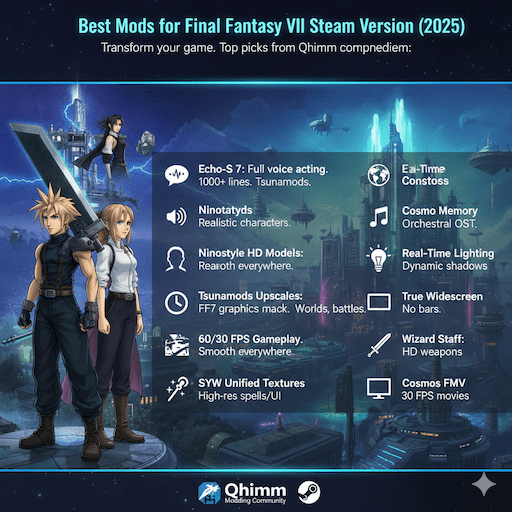
Transform your game. Top picks from Qhimm compendium:
- Echo-S 7: Full voice acting. 1000+ lines. Tsunamods.
- Ninostyle HD Models: Realistic characters.
- 60/30 FPS Gameplay: Smooth everywhere.
- Tsunamods Upscales: FF7 graphics mod pack. Worlds, battles.
- SYW Unified Textures: High-res spells/UI.
- Cosmo Memory: Orchestral OST.
- Real-Time Lighting: Dynamic shadows.
- True Widescreen: No bars.
- Wizard Staff: HD weapons.
- Cosmos FMV: 30 FPS movies.
Step-by-step guide to install FFNx with 7th Heaven: Download in 7H. Configure. Auto-sort. Play!
More: Qhimm Must-Install List.
FF7 Modding Community Troubleshooting Tips
Join:
- Modding support forums: Qhimm.com.
- Discord: Tsunamods, FFNx.
- GitHub issues.
Post logs. Screenshots. Versions.
Check this Reddit thread for update fix. And GitHub issue for paths.
How to Configure 7th Heaven for FFNx on Windows
Game Driver Settings:
- API: Auto or DX11.
- Resolution: Native.
- VSync: On.
- AA: 4x.
- Scale: 2x internal.
Advanced: Edit ffnx.cfg. # comments lines.
FAQs
Why 7th heaven, something went wrong trying to detect/install game driver?
This happens when FFNx is put in wrong. Get the new FFNx from GitHub. Put it in again. If not, put files by hand in your FF7 folder.
FF7 7th Heaven launcher keeps failing to detect the driver?
The ZIP file was not opened correctly. Open the ZIP in your FF7 folder. Start 7th Heaven again. Make sure FFNx files are in the game spot.
Common errors when installing FF7 mods on PC?
Wrong paths or old game versions cause problems. Follow the guide step by step. Use the right FF7 like Steam and match mods.
Conclusion
Fix 7th Heaven something went wrong trying to detect/install game driver with these steps. Enjoy the best mods for Final Fantasy VII Steam version. Troubleshooting FFNx game driver installation in FF7 is straightforward now3.
References
- 7th Heaven Official – Mod manager home. Audience: PC gamers seeking easy mods. ↩︎
- FFNx GitHub – Driver source. For advanced tweaks. ↩︎
- Steam ZIP Fix Thread – Installer bugs. ↩︎



One Comment