Smart Home Device Setup Tutorial: A Beginner’s Step-by-Step Guide
If you are new to smart home technology or have some experience but want to make your house smarter, this smart home device setup tutorial will help you. Many people dream of a home where lights turn on by themselves, the thermostat adjusts for comfort, and security cameras watch over everything. You can make this happen without being a tech expert.
This smart home device setup tutorial shows you simple steps to get started. You will learn how to pick the right tools, connect them, and create routines that fit your life. The smart home market grows fast. In 2025, it will reach about $174 billion worldwide, with many homes adding IoT devices for home. Follow this guide to join in safely and easily.
Why Start a Smart Home? Benefits for Everyday Life
Smart homes make life better in many ways. You get more convenience, save energy, and feel safer.
- Convenience: Use your voice or phone to control lights, music, and more. Voice-controlled home devices like speakers let you say commands while cooking or relaxing.
- Energy Savings: Smart thermostat installation can lower bills by learning your habits and adjusting heat or cooling.
- Security: Add home security automation with cameras and locks for peace of mind, even when away.
- Fun and Comfort: Set a smart lighting setup for moods, like warm lights for evenings.
Studies show smart homes help save energy and make daily tasks easier. Start small, and you will see the value quickly.
Choosing Your Smart Home Ecosystem
The first big step in any smart home setup guide is picking an ecosystem. This is the main system that connects your devices. The top three are Amazon Alexa, Google Home, and Apple HomeKit.
- Alexa smart home setup: Best for lots of device choices. It works with thousands of items and is easy to expand.
- Google Home device setup: Great for Android users. The assistant understands natural speech well and links to Google services.
- Apple HomeKit: Focuses on privacy and works smoothly with iPhones.
Many new devices support Matter, a standard that lets them work with multiple systems. This makes mixing easier in a wireless smart home setup.
Think about what you already use. If you have an iPhone, start with HomeKit. For the widest options, choose Alexa.
Preparing Your Home Network for Smart Devices
A strong Wi-Fi is key to connected home technology. Weak signals cause delays or drops.
Tips for a good network:
- Place your router in the center of your home.
- Use a mesh system if your house is large.
- Make a separate network for IoT devices to keep things secure.
- Check that your router supports modern standards for many connections.
Many beginners skip this in their DIY smart home plans. Fix it early to avoid problems later.
Essential Smart Devices to Start With
Begin with the basics in this smart home beginners guide. These give quick wins.
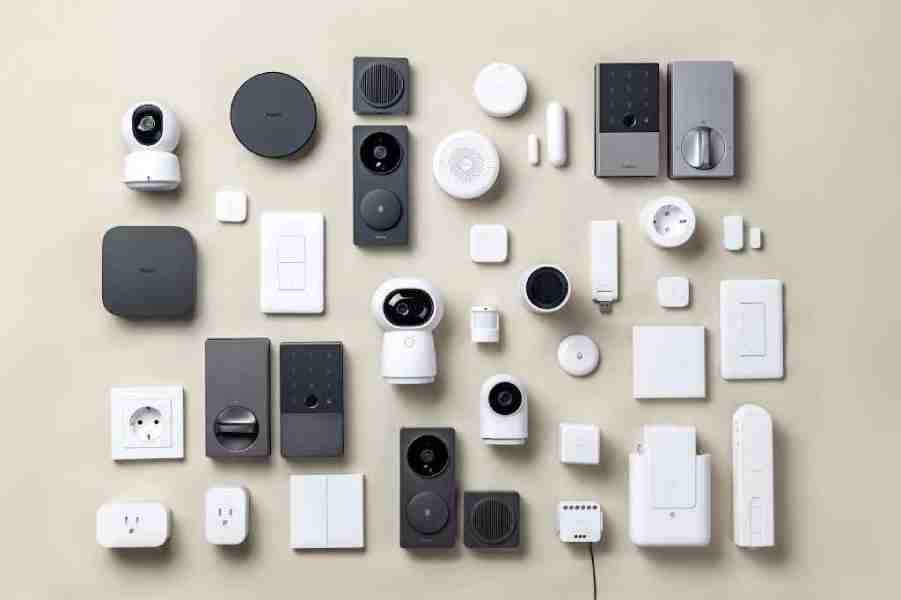
- Smart Speakers/Hubs: The brain of your system. Great for voice control.
- Smart Lighting: Bulbs or plugs that change color and schedule.
- Smart Thermostats: Save energy automatically.
- Smart Plugs: Turn regular items smart, like lamps or fans.
- Security Cameras and Doorbells: Watch your home remotely.
These are easy for smart device installation and work in most home automation ecosystems.
Step-by-Step Smart Home Device Setup Tutorial
Here is the core of this smart home device setup tutorial. Follow these steps for a smooth home automation setup.
Step 1: Set Up Your Smart Hub or Speaker
Start with your main device.
- Plug it in and download the app (Alexa, Google Home, or Home).
- Follow the on-screen instructions to connect to Wi-Fi.
- Create or sign in to your account.
This sets up your smart home hub setup.
Step 2: Add Your First Devices
Now connect smart home devices.
- For lights: Screw in the bulb, then add it in the app (scan QR code often).
- For thermostats: Follow smart thermostat installation guides – turn off power first for safety.
- For plugs or cameras: Plug in and pair via the app.
Test each one right away.
Step 3: Create Rooms and Groups
Organize in the app.
- Make rooms like “Living Room” or “Bedroom”.
- Group devices, like all lights in one area.
This makes control easier in your Wi-Fi smart home devices system.
Step 4: Set Up Automations and Routines
This brings the magic.
- Make routines: Lights on at sunset, or thermostat lower when away.
- Use triggers like time, location, or sensors.
Try simple ones first in your smart home automation tips.
Step 5: Add Security Features
Boost safety with home security automation.
- Install cameras and doorbells.
- Set alerts for motion.
- Add smart locks for remote control.
Step 6: Expand Room by Room
Grow slowly.
- Kitchen: Smart plugs for appliances.
- Bedroom: Lights and thermostats for better sleep.
- Outside: Weather-proof lights or cameras.
This fits a simple smart home setup for renters or homeowners.
Common Mistakes to Avoid in Smart Home Setup
Many beginners face issues. Here are fixes for troubleshooting common smart home setup problems.
- Buying too much too fast: Start small to learn.
- Ignoring compatibility: Stick to one ecosystem or use Matter.
- Weak Wi-Fi: Upgrade if needed.
- Skipping security: Use strong passwords and updates.
- No plan: Think about what you want to automate first.
Avoid these for a better DIY guide to installing smart home automation.
Advanced Tips for Your Smart Home
Once the basics work, try more.
- Voice control: Link to Alexa or Google for hands-free.
- Energy monitoring: Track use with smart plugs.
- Integrations: Connect to services like music or calendars.
These are great smart home automation tips for intermediate users.
Troubleshooting Common Issues
Problems happen. Quick fixes:
- Device offline? Check Wi-Fi and restart.
- Not responding to the voice? Retrain the assistant.
- Automation fails? Check triggers.
Most solve easily.
FAQs
What is the best way to connect multiple smart devices at home?
The best way is to pick one smart home ecosystem like Apple HomeKit, Google Home, or Amazon Alexa. Then use a hub or bridge to connect all your devices so they talk to each other easily. This keeps everything simple, works together, and lets you control them with one app or voice.
How to set up smart home devices for beginners?
First, make sure your home Wi-Fi is strong and ready. Next, get a hub if needed, then add one device at a time by following the app instructions. Go slow, test each one, and soon your whole home will be smart and fun to use.
Do I need professional help for smart home device setup?
No, most people set up smart home devices by themselves without any help. It is easy with apps and simple steps for lights, plugs, and speakers. Only call a pro if you need new wiring or hard electrical work done safely.
What are good smart home devices for beginners?
Start with easy ones like smart light bulbs, smart plugs, and a smart thermostat. These are simple to set up, make daily life better, and cost less money. You can turn lights on with your phone or voice and save energy too.
Conclusion
This smart home device setup tutorial gives you tools for a smarter home. From picking an ecosystem to setting routines, you can create a system that saves time, energy, and adds comfort. Start small, grow at your pace, and enjoy the benefits of connected home technology.