SaaS Pricing Models Explained: A Simple and Complete Guide for Everyone
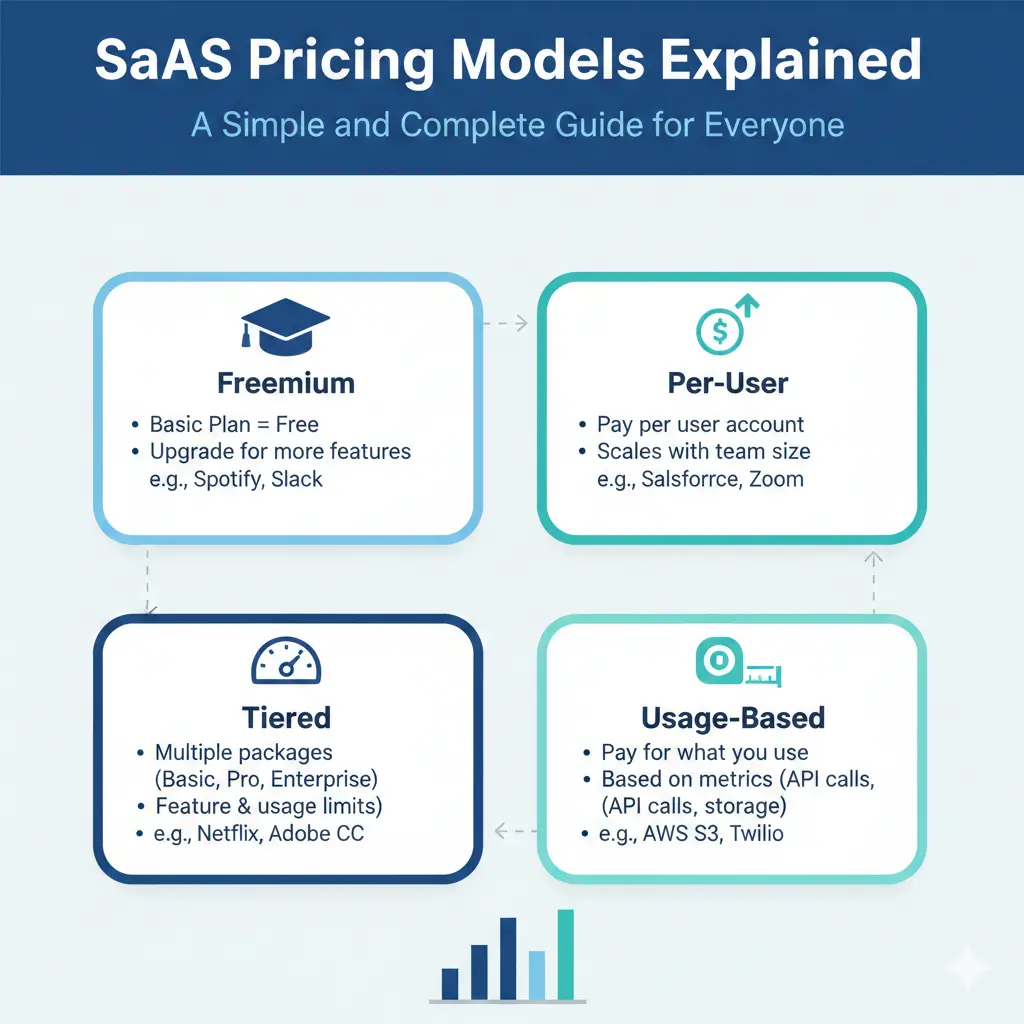
SaaS pricing models explained is very important for anyone who makes or sells software online. SaaS means Software as a Service. It is software people use on the internet and pay for every month or year. The price you choose decides if your business grows fast, if customers stay happy, or if they leave.
Many new business owners worry about pricing. They ask: “How much should I charge?” or “Will people pay this much?” The good news is there are only a few main ways to price SaaS. Once you understand them, you can pick the one that fits your tool best.
In this guide, we explain every model in simple words. You will see real examples from big companies like Slack, Zoom, and Dropbox. We also share easy tips to test and improve your price. By the end, you will feel confident to choose a pricing plan that helps your business make more money and keeps customers smiling.
What Is SaaS and Why Does Pricing Matter?
SaaS is software you use online. You do not download it like old games or programs. You just open a website or app and start working. Examples are Google Docs, Zoom for meetings, or Canva for making pictures.
People pay to use SaaS every month or year. That is called a subscription. Good pricing makes customers feel they get more value than they pay. Bad pricing makes them feel cheated or confused.
Here are simple reasons pricing is so important:
- Right price = happy customers They stay longer and tell friends about your tool.
- Right price = more money You earn enough to pay your team and grow.
- Right price = easy sales Customers understand the cost quickly and say “yes” fast.
Did you know? A small 1% change in price can bring 8% to 12% more profit. That is huge! Many founders spend weeks building features but only a few hours thinking about price. Today we fix that.
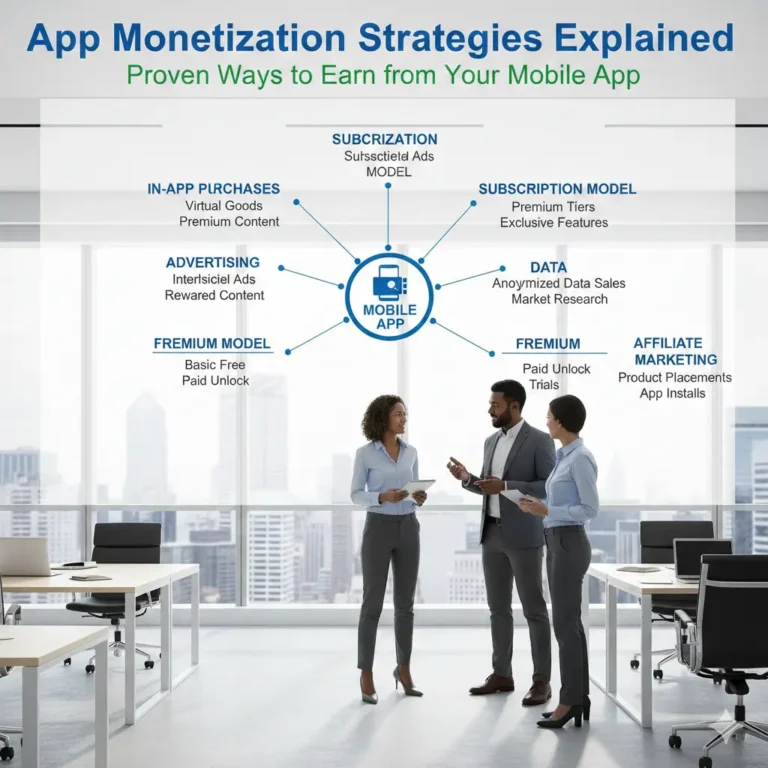
The Main SaaS Pricing Models Explained (With Easy Examples)
Here are the most popular ways to price SaaS. We explain each one like telling a story.
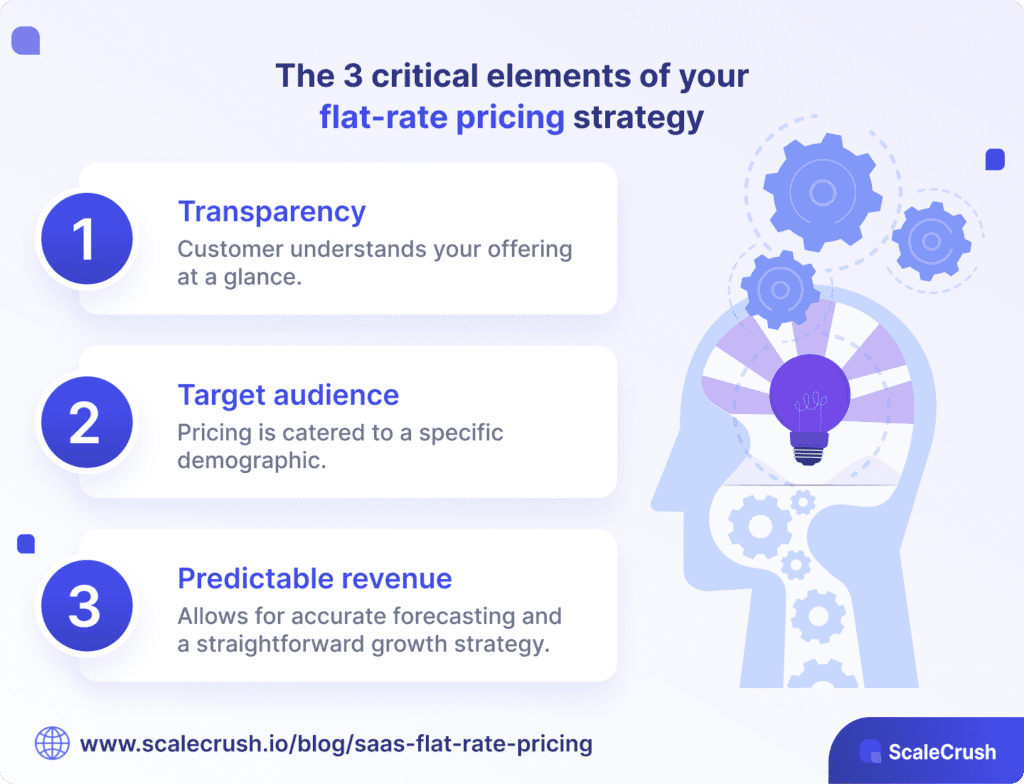
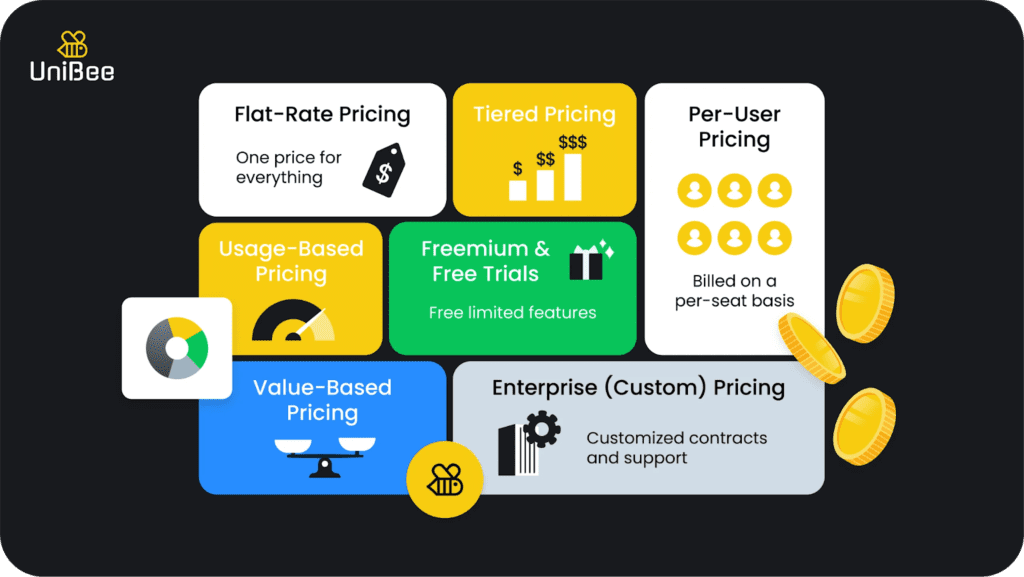
1. Flat-Rate Pricing (One Price for Everything)
You charge the same amount to everyone. No matter how many people use it or how much they use it.
Example:
Basecamp charges one price (about $99 per month) for unlimited users and projects. Everyone gets the same plan.
Good things:
- Super easy to explain: “Just pay $99 every month.”
- Customers know the cost right away.
- Good for small tools that everyone uses the same way.
Not-so-good things:
- If one customer uses it a lot, they pay the same as someone who uses it a little.
- You cannot make extra money when big teams join.
- Hard to grow price later.
Best for: Simple tools like project trackers or small-team calendars.
2. Per-User Pricing (Pay for Each Person)
You charge more when more people use your tool. Each “seat” or user costs extra.
Example:
Old Slack plans charged per person on the team. If 10 people join, you pay 10 times more.
Good things:
- Price grows as the customer grows.
- Fair for big teams who get more value.
- Easy to sell to companies of different sizes.
Not-so-good things:
- Teams sometimes share logins to save money (not good).
- New users hesitate to add more people because it costs more.
- Can feel unfair if someone only uses it sometimes.
Better idea: Charge only for active users (people who log in). Slack does this now. It helps teams add people without worry.
Best for: Tools made for teams, like chat apps or email software.
3. Tiered Pricing (Different Plans with More Features)
You make 3 or 4 plans: Starter, Pro, Business, Enterprise. Each plan gives more features or more limits.
Example:
Dropbox has:
- Free (2 GB storage)
- Plus ($10/month – 2 TB)
- Family ($17/month – 2 TB for 6 people)
- Professional ($17/month – extra tools)
Good things:
- Fits small and big customers.
- Easy to move up when you need more.
- The most popular model today.
Not-so-good things:
- Too many plans confuse people.
- You must decide what goes in each plan.
Simple tips:
- Make 3 plans only.
- Put the most popular choice in the middle.
- Show the highest plan first so the middle looks like a good deal.
Best for: Almost every SaaS tool – email, design, CRM, and more.
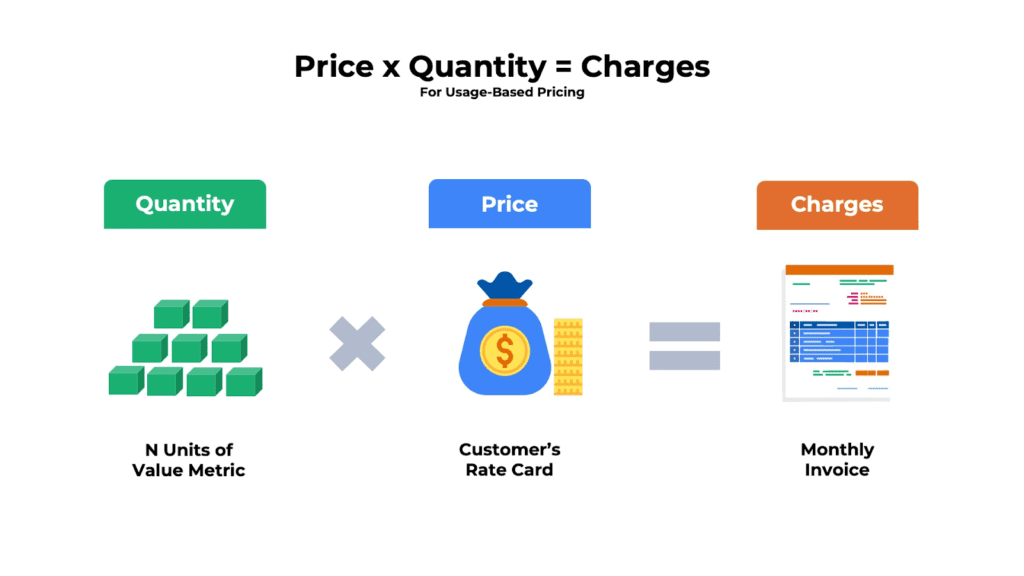
4. Usage-Based Pricing (Pay for What You Use)
You charge based on how much someone uses the tool. Examples: number of emails sent, API calls, or minutes of video.
Example:
Twilio charges for every text message or phone call you make. OpenAI charges per word you type or read with ChatGPT.
Good things:
- Very fair – light users pay little, heavy users pay more.
- New customers start cheap.
- When customers succeed and use more, you earn more.
Not-so-good things:
- Customers worry about big surprise bills.
- Hard to guess how much money you will make each month.
Best for: Tools that use a lot of computer power, like AI, video, or messaging.
5. Freemium Model (Free Basic + Pay for Extra)
The basic version is free forever. Pay only if you want more features or more limits.
Example:
Zoom gives free meetings up to 40 minutes. Pay for longer meetings or more people.
Dropbox gives 2 GB free. Pay for more space.
Good things:
- Lots of people try it for free.
- Easy to get new users.
- Users love it and tell friends.
Not-so-good things:
- Free users still cost you money (servers, support).
- Some people never pay.
- Free version must be good but not too good.
Best for: Tools everyone can use, like video calls or file sharing.
6. Per-Feature Pricing (Pay for Add-Ons)
You start with a basic plan. Customers buy extra features they want.
Example:
ActiveCampaign lets you add email automation or SMS as extra.
Good things:
- Customers pay only for what they need.
- Easy to sell add-ons later.
Not-so-good things:
- Can feel like you are charging extra for everything.
- Harder to explain.
Best for: Tools with many optional parts.
7. Hybrid Pricing (Mix of Two Models)
Combine two models. Most popular in 2025.
Example:
Many companies do a monthly base fee + extra charge for usage.
ServiceNow charges a base price + extra for AI tools used.
Good things:
- Steady money from base fee.
- Extra money when customers use more.
- Feels fair to everyone.
Not-so-good things:
- It takes more time to explain.
- I need a good billing system.
Best for: Almost every new SaaS in 2025.
Step-by-Step: How to Pick Your SaaS Pricing Model
Follow these easy steps to choose:
- Ask your customers to talk to 10-20 people who use your tool. Ask: “What would you pay for?” and “What do you value most?”
- Find your value metric What makes your tool valuable?
- Number of users? → Per-user pricing
- Amount of storage? → Tiered by GB
- Number of messages? → Usage-based
- Look at your costs If your costs go up when customers use more1 (like AI or video), use usage-based or hybrid.
- Check competitors See what others charge. But make yours different and better.
- Start simple Begin with 2-3 plans. Later add more if needed.
- Test your price Show two prices to visitors and see which one gets more sign-ups.
- Watch what happens After 3 months, check: Are people staying? Are they paying more over time?
Extra Tips to Make Your Pricing Even Better
Use these small tricks to help customers say “yes” faster:
- Show prices yearly “$120 per year” looks cheaper than “$10 per month.”
- Use charm prices $9.99 feels much less than $10.
- Offer a free trial 14 days free helps people try without risk.
- Add a “most popular” badge Put a star on the middle plan. People pick it more.
- Be honest about price Show it clearly on your website. No surprises.
- Update prices once a year Tell customers early. Say why (new features, better servers).
Real Stories from Real Companies
Story 1: Slack
Started with per-user pricing. Teams shared logins to save money. Slack changed to per-active-user. Now teams add people easily and Slack earns more.
Story 2: Zoom
Used freemium. Free 40-minute meetings. People loved it so much they paid for longer calls. Zoom grew huge during the pandemic.
Story 3: Canva
Freemium + tiered. Free for basic design. Pay for pro pictures and tools. Millions of people use free, and many upgrade.
Story 4: OpenAI
Usage-based. Pay per word you use. Fair for small and big users. Grows with AI popularity.
These stories show: Good pricing helps companies grow fast.
What’s New in SaaS Pricing?
Things change fast. Here are the newest trends:
- More companies use hybrid pricing (base + usage).
- AI tools often have separate usage fees.
- Customers want clear bills – no surprises.
- Some plans include “green” options (eco-friendly servers).
- Total SaaS spending will reach $299 billion this year!
If you start now with smart pricing, you can grow with the trend.
Common Mistakes to Avoid
Don’t do these:
- Hide your prices on the website.
- Make 6 or more plans (people get confused).
- Change prices too often without telling customers.
- Copy competitors exactly (you lose your special value).
- Forget to test your price with real users.
Tools to Help You Build Pricing
- Use a saas pricing calculator to see how much money you make with different plans.
- Download a saas pricing model template (many free in Excel).
- Look for saas pricing model template excel online.
- Search saas pricing models explained pdf for printable guides.
FAQs About SaaS Pricing Models Explained
What is SaaS pricing?
What is saas pricing means the way companies charge customers for using their online software. It is usually a monthly or yearly fee, but it can change based on how much you use the tool or how many people use it.
What are the main SaaS pricing models?
The main ones are: flat-rate, per-user, tiered, usage-based, freemium, per-feature, and hybrid. Most companies today use tiered or hybrid.
Which SaaS pricing model is best for startups?
Start with flat-rate or freemium. They are easy to understand and help you get your first customers fast. Later, you can switch to tiered or hybrid as you grow.
Is freemium a good idea for my SaaS?
Yes, if your tool is easy to try and many people can use the free version. But make sure enough free users turn into paying customers to cover costs.
What is the most popular SaaS pricing model in 2025?
Hybrid (a base fee + usage charges) and tiered pricing are the most popular. They give steady money and feel fair to customers.
How is B2B SaaS pricing different?
B2b saas pricing models usually have higher prices, more custom plans, and focus on business results (like saving time or making more money). They often include enterprise tiers with extra support.
In Conclusion: You Now Know SaaS Pricing Models Explained
SaaS pricing models explained is simple once you see the main types: flat-rate, per-user, tiered, usage-based, freemium, and hybrid. There is no one “perfect” model. The best one fits your customers, your tool, and your goals.
Start small. Talk to your users. Test your price. Watch what happens. Change a little if needed. Good pricing makes customers happy and your business strong.
You can do this! Pick one model today and try it2.
What pricing model do you think will work best for your SaaS product3? Tell me in the comments – I would love to help you choose!
References
- Cobloom SaaS Pricing Blog – Deep tips on psychology and real examples for growth teams. ↩︎
- Stripe SaaS Pricing Guide – Great simple explanations for founders and product teams. ↩︎
- Eleken SaaS Pricing Post – Easy breakdowns and decision steps for advisors and strategists. ↩︎