Discover the Best Android Hidden Game: How to Find and Play Every Secret Easter Egg

Did you know that more than 35% of Android users have never found the secret games tucked inside their phones? These little surprises sit right there in your device, waiting for someone curious enough to look. If you want to discover the best Android hidden game, you are in the right place.
An Easter egg is a fun surprise that developers hide in software. Google has kept this tradition alive for over ten years. They add small games or animations that only appear when you tap in the right spot. These Android hidden games bring joy during boring moments or when you have no internet.
The top three Android hidden games that people love include the new space adventure in Android 15 called Landroid, the cute cat collector from Android 11, and the famous Chrome Dino that works on every version. Many of these games run completely offline, so you can play anytime.
Google shares details about these features on its official Android developer pages. The tradition shows how much the team loves adding creative touches that make Android feel special.
How to Unlock Any Android Hidden Game (Step-by-Step)
Finding an Android hidden game is easier than you think. Most of them start in the same place. Here is a simple step-by-step guide that works on most phones.
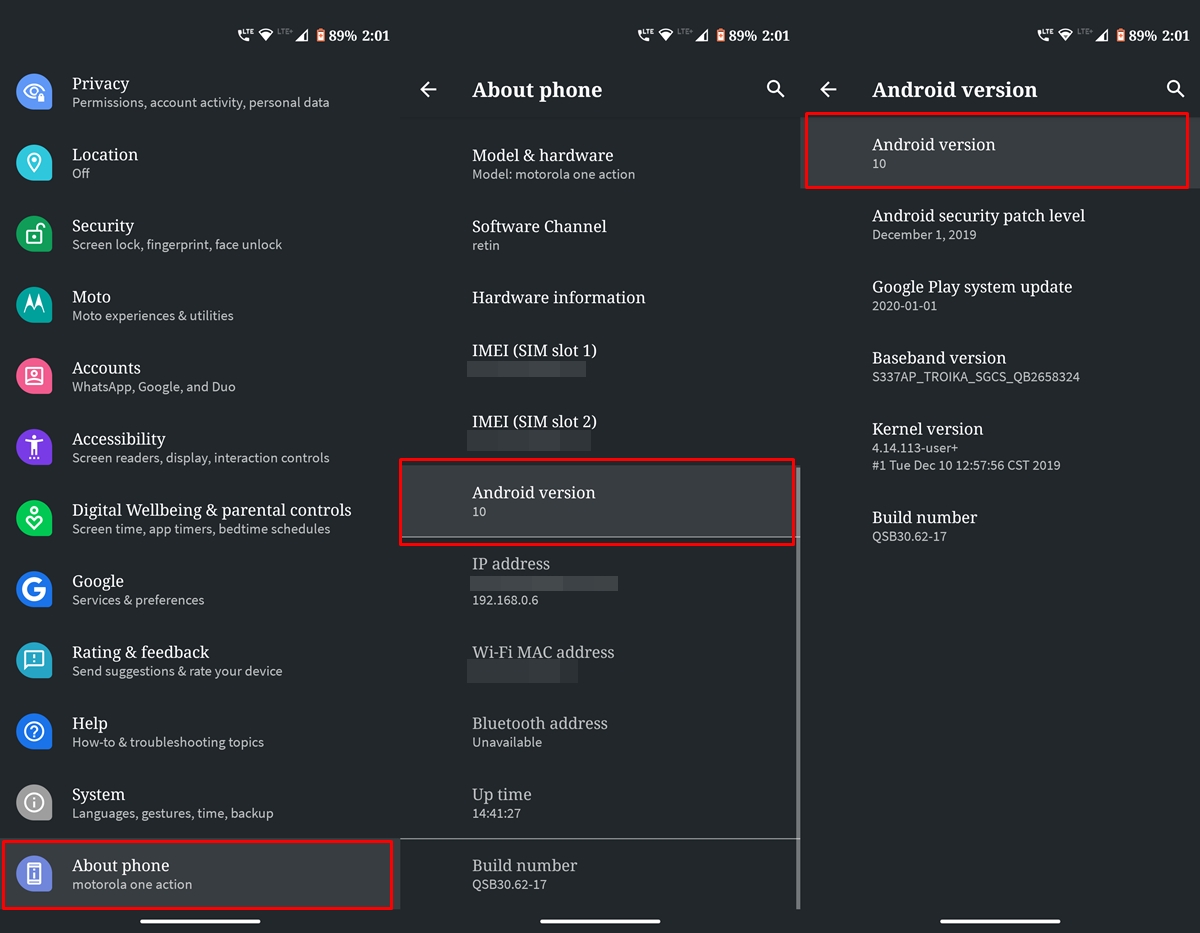
- Open the Settings app on your phone.
- Scroll down and tap “About phone”.
- Find “Android version” and tap it quickly three to five times.
- A fun logo or animation usually appears. Tap, hold, or rotate it to start the game.
That is the basic secret tapping method for almost every Android hidden game. It feels like unlocking a treasure.
Different phone makers add their own style, so the steps can change a little. On a Google Pixel, the menu looks clean and simple. Samsung One UI might show extra options or change the look of the logo. Xiaomi MIUI sometimes hides the Easter egg deeper or adds its own twist. If the basic steps do not work, check your exact Android version and try tapping a few more times.
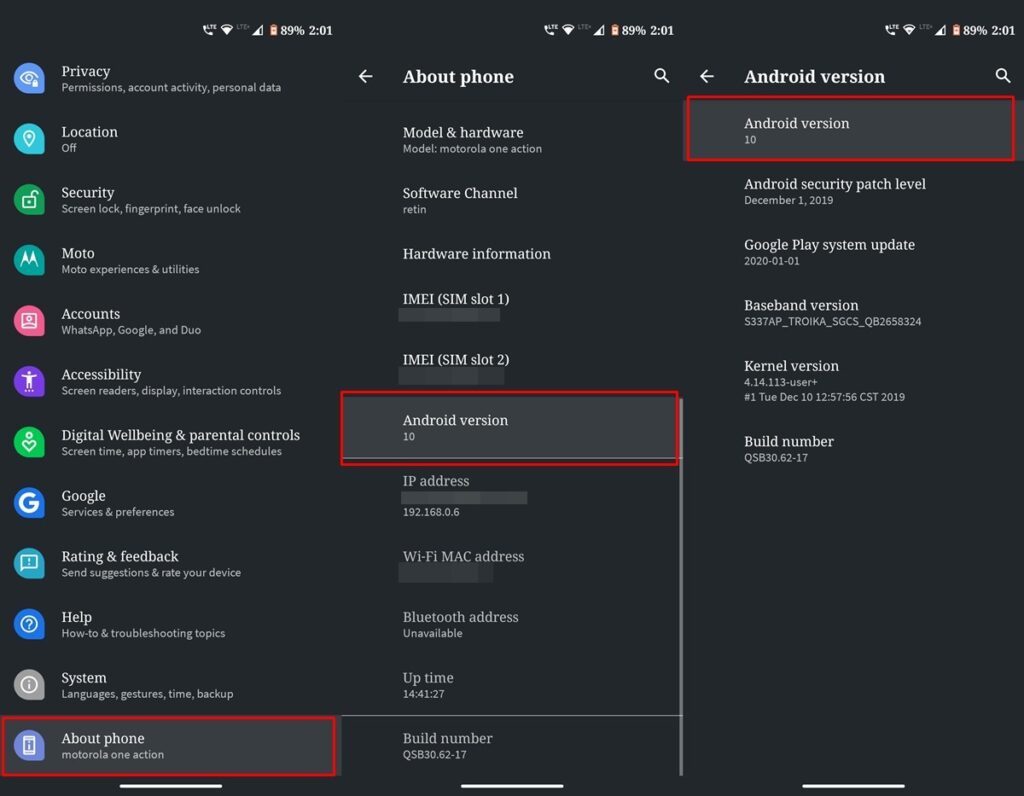
Many people find it helpful to watch a short GIF or screenshot while trying for the first time. The animation changes with each new Android update, but the tapping trick stays mostly the same. Once you learn how to find hidden games on Android, you can explore every version with confidence.
Android 15 & 16: The “Landroid” Space Exploration
Android 15 brings one of the coolest Android hidden games yet. It is called Landroid, a retro-style space simulator. You control a small spaceship that flies through space and visits procedural planets.
The controls feel simple but deep. You see THR for thrust, VEL for velocity, and (X, Y) coordinates on the screen. Drag your finger to steer the ship. The goal is to explore as many planets as you can.
A fun secret tip: when you land on a planet, you can plant a bright yellow flag to mark it. This small detail makes the game more rewarding because you can see where you have been.
Many players enjoy the calm feeling of floating through space. Some fun facts show that people spend surprising amounts of time exploring because each flight feels different.
Android 16 (codename Baklava) keeps the space theme and adds new touches. The logo turns into a mini-game with smooth “Warp Speed” visual effects. After you play once, you unlock the Landroid Autopilot screensaver. Go to Settings > Display > Screen Saver to turn it on. Your phone can then show the little spaceship flying automatically when the screen is idle.
Rumors point to AI-powered motion controls coming in the 2026 updates. These could let you steer using camera movements or gestures. The Android hidden game in newer versions keeps getting better and shows how Google mixes fun with new technology.
Retro Favorites: The Hall of Fame
Some of the best memories come from older Android hidden games. They still work great and feel nostalgic.
In Android 11, the Neko Cat game lets you collect cats. First, enable it by tapping the Android version until a dial appears. Turn the dial past 10 until you see the number 11 and a cat emoji. Then open the power menu (hold the power button), add Cat Controls, and use food, water, and toys to attract cats. Each cat has a different color and number. This is how to play Android 11 hidden game, which is perfect for cat lovers.
Android 10 offered a Nonogram puzzle game. After tapping into the Easter egg, you rotate numbers to form a special logo. Then tap repeatedly to open logic-based pixel puzzles. Solving them reveals fun Android pictures. It is a calm brain game that many people still enjoy.
Go back further to Android 6.0 Marshmallow or Android 5.0 Lollipop, and you find the Flappy Android game. It is a clone of Flappy Bird where you guide the little Android mascot through obstacles. Many call it the hardest Android hidden game Marshmallow or Android hidden game 7.0 style, because timing is very strict. It takes practice, but beating your high score feels amazing.
The Chrome Dino game deserves special mention. It appears when Chrome has no internet. Just type chrome://dino or lose your connection, and the T. rex starts running. Jump over cacti and birds. Reports from a few years ago said people played it around 270 million times monthly. It works on all Android versions and remains one of the most popular offline games ever.
These retro Android hidden games prove that simple ideas can create hours of fun.
Beyond Settings: Hidden Games in Google Apps
Not every Android hidden game lives only in Settings. Some hide inside Google apps, too.
Open the Google app and turn on Airplane Mode. A small bird with an umbrella appears in a fun side game. It is light and quick to play.
The Chrome Dino Run is the king of offline play. Besides losing internet, you can directly type chrome://dino in the address bar. In 2026, Google is testing AI-powered motion controls that let you jump using your phone’s camera. That could make how to play android hidden game even more interactive.

Inside Google Play Games, you will find a dashboard with small mini-games like Whirlybird and classic Minesweeper. These add extra entertainment without downloading big apps.
Recent Google I/O events highlighted the growing trend of AI in games. These small built-in experiences show how the company mixes smart features with simple joy.
Troubleshooting & Compatibility
Sometimes you cannot see the Android hidden game. Here is why and how to fix it.
Go Edition or Lite versions of Android often remove Easter eggs to save space. Old system updates might also hide them. The best fix is to check your Android version and install the latest software update.
Manufacturer overlays can change the menu. On Samsung, Xiaomi, or other brands, the “About phone” section might look different. If the tapping does not work, search for your exact phone model plus “Easter egg” to find small adjustments.
A quick tip: always note your current Android version before you start. This helps you know which game to expect. Most problems with how to get to hidden game on Android come from small differences between brands, but the core tapping method stays reliable.
FAQs
Are Android hidden games free?
Yes. They are native system features, so you never pay anything.
Can I play these games offline?
Yes. Almost every Android hidden game works without internet, including the Chrome Dino and Landroid space sim.
Do I need to enable Developer Options?
No. You only need to tap in Settings > About phone. No extra settings required.
What is the best hidden object game for Android?
Many people enjoy the Neko Cat collector or Nonogram puzzles. The Landroid space game in Android 15 also feels like exploring hidden worlds.
How to play the Android 10 hidden game?
Tap Android version until the logo appears, rotate elements to form the Q shape, then tap to open the Nonogram puzzles.
How to find the hidden game on Android Nougat or Marshmallow?
Use the same tapping method. In Marshmallow, you get the Flappy Android challenge, which many still call one of the toughest.
These short answers help when people search for quick facts about Android hidden game nougat, how to play hidden Android game, or similar questions.
Conclusion
Google hides these Android hidden games because they celebrate creativity and developer culture. Small teams add fun details that turn a normal phone into something playful. From collecting cats to flying through space, each Easter egg shows care and humor.
These games remind us that technology can be light-hearted. They work offline, need no downloads, and cost nothing. Whether you love the calm space adventure in Android 15 or the addictive Chrome Dino, there is always a new high score to chase.
Now it is your turn. Which Android hidden game gives you the best high score? Try the tapping trick today and share your screenshots or scores in the comments below. Tell your friends how to find hidden games on Android so they can enjoy the fun too.