Fun Chrome Easter Eggs You Can Enjoy Right Now in 2026
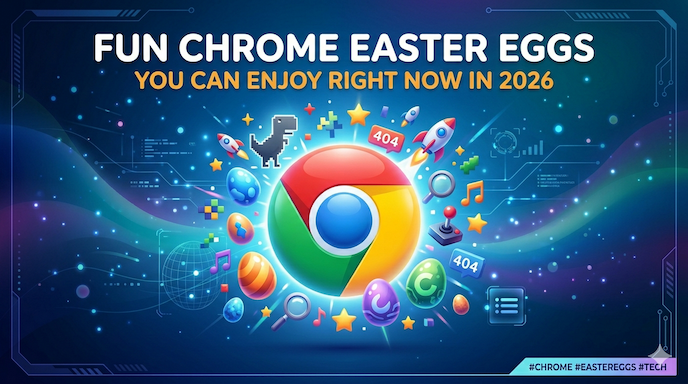
Chrome Easter Eggs bring surprising fun moments during everyday browsing. You do not need any special skills to enjoy them. Just open your Google Chrome browser and try the simple steps. These hidden surprises turn normal surfing into quick entertainment for casual users, gamers, tech fans, and anyone who loves nostalgia.
Many people search for Google Chrome hidden features or Chrome secrets because they want easy ways to add joy to their day. Whether you play the classic Chrome Dino game offline or try interactive surprises, these browser Easter eggs make Chrome more than just a tool for visiting websites.
In this complete guide, you will learn about the best Chrome Easter eggs available in 2026. We cover how to trigger them step by step, why they matter for different users, and tips to discover even more Google hidden surprises. Everything stays simple so Grade 2 readers can follow along easily.
What Are Chrome Easter Eggs and Why Do People Love Them?
Chrome Easter Eggs are small hidden surprises built into the Google Chrome browser or connected Google services. Google adds them for fun, often as references to pop culture, classic games, or clever jokes. They appear without any big announcement.
Casual Chrome users enjoy them because they create surprising, fun moments. You might see something cool while checking your email or reading the news. Gamers like the quick play options that entertain without downloading anything. Tech curiosity hunters search for Chrome tricks and hacks to learn more about internet culture. Nostalgia fans smile at references to old games or beloved movies.
These features show Google’s playful side. The company started adding hidden elements years ago to make technology feel friendly and human. Many Google Easter egg games still work today and receive small updates.
People search phrases like best hidden games in Google Chrome or Chrome offline games because they want free entertainment. Some Chrome hidden tools even lightly help with productivity, though most focus on pure fun.
The Most Famous One: Chrome Dino Game
One of the top Chrome Easter eggs is the Chrome dino game, also called the Lonely T. rex game. It appears when you lose internet connection.
How to play the Chrome Dino game:
- Disconnect your internet (turn off Wi-Fi or unplug cable).
- Open a new tab in Chrome.
- You will see a “No Internet” page with a small dinosaur.
- Press the spacebar (on desktop) or tap the dinosaur (on mobile).
- The T-Rex starts running. Jump over cacti by pressing space or tapping.
- Later, flying pterodactyls appear – duck by pressing the down arrow.
The game gets harder as your score increases. At certain points, the background switches between day and night modes for extra challenge. In 2018, for Chrome’s 10th birthday, the dinosaur could collect a birthday cake and wear a party hat.
This offline Chrome game works perfectly when you travel or face connection problems. Many users call it one of the best hidden games in Google Chrome because it needs no download and offers endless replay value.
Parents like it because kids can play safely without ads or internet risks. Office workers use it for short breaks. The simple controls make it perfect for all ages.
Tip: You can also type chrome://dino directly in the address bar to start the game even with internet on.
Other Popular Google Hidden Games in Chrome
Chrome connects to many Google Easter egg games through search and special pages. Here are some favorites that still delight users in 2026:
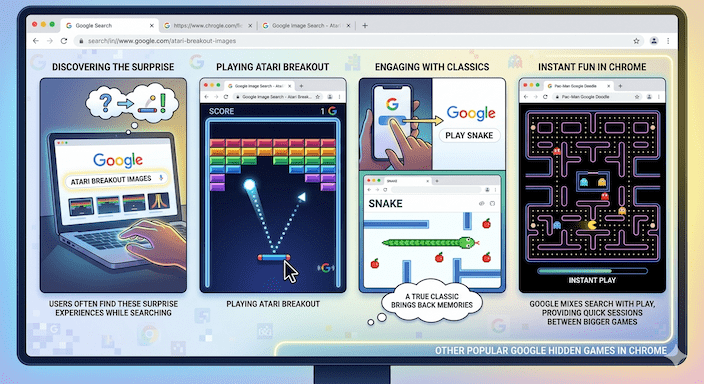
- Atari Breakout: Search for images, then play the classic block-breaking game using your mouse or arrow keys. Many people find this while looking for pictures and discover the surprise.
- Snake: Type certain terms or visit related Google pages to launch the slithering game. Collect items while avoiding walls – a true classic that brings back memories.
- Pac-Man: Search for it and enjoy the maze-chasing action directly in your browser.
These Google hidden games show how Google mixes search with play. They turn a simple query into an interactive experience. Users searching Chrome interactive games often land on these because they provide instant fun.
Gamers enjoy them as quick sessions between bigger games. They require no installation and work smoothly in modern Chrome versions.
Fun Search Tricks and Hidden Animations
Many Chrome Easter eggs start with typing something specific in the Google search bar inside Chrome. These Google search tricks create animations or changes on the results page.
Examples include:
- “Do a barrel roll” – the whole page spins 360 degrees.
- “Zerg rush” – small letters attack and eat the search results (a fun nod to strategy games).
- “Askew” – the page tilts slightly for a humorous effect.
These hidden Google animations work best in Chrome and often get shared with friends. They reference pop culture or internet history, which is why nostalgia fans love them.
Other simple ones:
- Type “roll a die” for a random number.
- “Flip a coin” for heads or tails.
- Certain movie or game names trigger special effects or GIFs.
People looking for Google fun tricks or search engine Easter eggs find these very satisfying. They need zero technical knowledge – just type and watch.
Chrome Browser Hidden Features and Shortcuts
Beyond games, Chrome has several Chrome hidden features that add polish and surprise.
In the mobile Chrome app:
- Open many tabs (more than 99) and the tab counter shows “:D” instead of the number. In incognito mode, it shows “;)” – a small wink from the developers.
- Swipe up quickly on a tab five times and watch it do a fun backflip animation.
On Chromebooks (ChromeOS):
- Press Ctrl + Alt + Shift + Refresh to make the current window spin like a barrel roll. This ChromeOS window spin feels playful and matches the “do a barrel roll” search trick.
These small details turn daily browser use into something lighter. They belong to the category of Chrome secrets that most users never notice until someone points them out.
Tech curiosity hunters enjoy exploring Chrome hidden tools like these because they reveal how much thought Google puts into user experience.
How to Discover More Chrome Easter Eggs in 2026
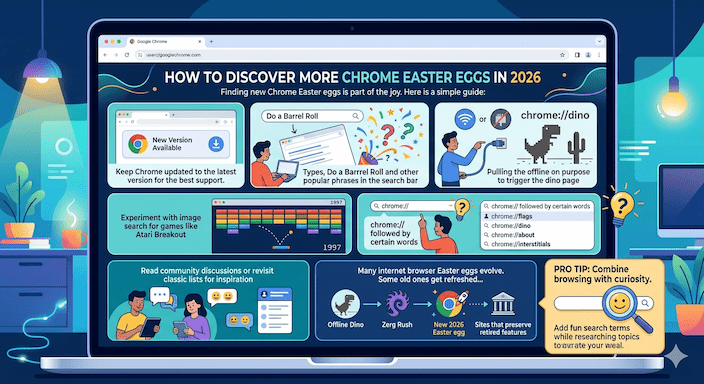
Finding new Chrome Easter eggs is part of the joy. Here is a simple guide:
- Keep Chrome updated to the latest version for the best support.
- Try typing popular phrases in the search bar and watch for changes.
- Go offline on purpose to trigger the dino page.
- Experiment with image search for games like Atari Breakout.
- Check special Chrome pages by typing chrome:// followed by certain words (like chrome://dino).
- Read community discussions or revisit classic lists for inspiration.
Many internet browser Easter eggs evolve. Some old ones get refreshed, and new ones appear during holidays or anniversaries. Sites that preserve retired features help people enjoy classics again.
Pro tip: Combine browsing with curiosity. While researching a topic, try adding fun search terms to see if surprises appear. This habit turns regular research into playful discovery.
Chrome Easter Eggs for Different Types of Users
Different people enjoy Chrome Easter eggs for their own reasons:
Casual Chrome Users: You just want easy fun during coffee breaks. The Chrome Dino game or simple search animations give quick smiles without any learning curve.
Gamers and Interactive Users, you look for Google hidden games that offer real playtime. The offline runner, Snake, or Breakout, provides arcade-style action right in the browser—no need to install heavy apps.
Tech Curiosity Hunters, you love Chrome tricks and hacks and how to find Chrome Easter eggs. Exploring shortcuts, hidden pages, and animation triggers feels like uncovering digital lore.
Nostalgia and Pop Culture Fans: You smile at references to classic games, movies, or old internet memes. Many Google Easter egg games draw from 80s and 90s culture or popular franchises, creating warm feelings of recognition.
This wide appeal explains why searches for fun hidden features in Chrome browser stay strong year after year.
Benefits of Enjoying Browser Easter Eggs
Spending a few minutes with Chrome Easter eggs can:
- Reduce stress with light-hearted play.
- Improve mood through surprise and achievement (like beating your high score in the dino game).
- Encourage creativity by experimenting with searches.
- Build a sense of connection to the internet culture shared by millions.
Many users report that discovering a new Google hidden surprise makes their day brighter. In a busy world, these small moments matter.
Some Chrome hidden features for productivity and fun even help indirectly – a quick game break can refresh your mind before returning to work.
FAQs
What is the most popular Chrome Easter egg?
The Chrome Dino game tops the list for many because it works offline and feels addictive.
Do all Chrome Easter eggs work in 2026?
Most classic ones still function, especially in the latest Chrome version. Some older search tricks may change slightly as Google updates services.
Are these Easter eggs safe?
Yes. They come from Google itself or trusted browser behavior. No risk to your device or data.
Can I play the Google dinosaur game offline?
Absolutely – that is its main purpose. Just lose connection or type the direct address.
Where can I find a full list of all Google Easter eggs?
Reliable sources include Wikipedia’s detailed compilation and fan sites dedicated to preserving them.
Conclusion
Chrome Easter Eggs add delightful layers of fun to your daily browsing. From the famous Chrome Dino game to other hidden Google games, little animations, and fun search tricks, these features show that technology can be fun and simple.
We looked at Chrome’s hidden features, secret tricks, browser Easter eggs, and other fun things in Chrome. Whether you want a quick game, remember old favorites, or just explore, Chrome has something fun for everyone, and it’s free and easy to use.